SingleFile Swallowed AWS Cost Explorer Whole
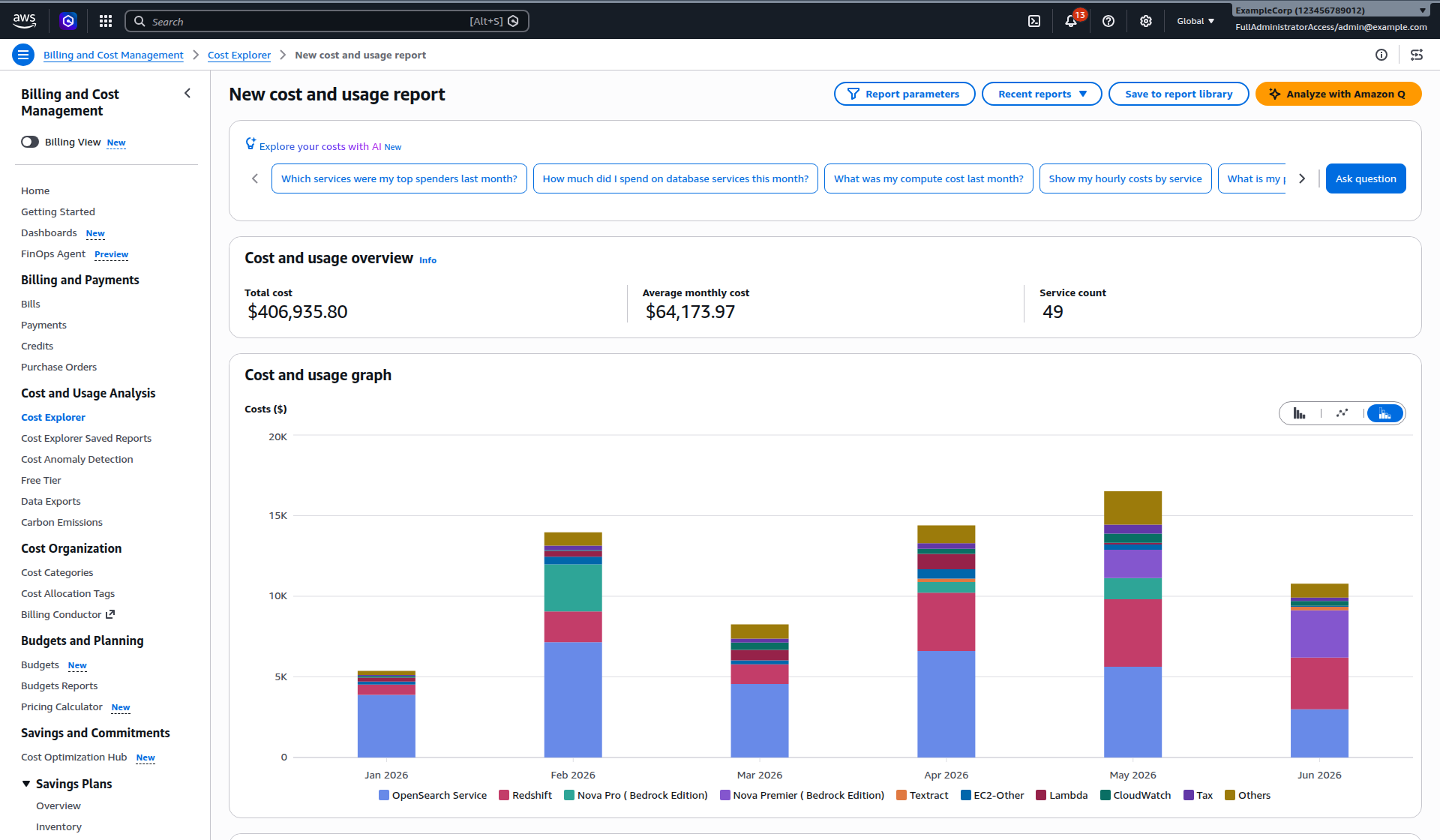
I needed a picture of an AWS Cost Explorer report for an article I was writing for work. The normal move is a screenshot, but a screenshot is just something to look at. I wanted to keep exploring the thing while I wrote, copy actual numbers out of it. So I reached for SingleFile, a browser extension whose whole pitch is that it saves a complete page into one HTML file.
Now, you probably know what the browser’s built-in “Save Page As” produces these days, a folder with two hundred files in it and a page that half survived, with the fonts wrong and a blank rectangle where the interesting part used to be. It’s not really the browser’s fault, web pages stopped being documents years ago. A page like Cost Explorer is an application caught mid-execution, scripts pulling in more scripts, styles generated on the fly, the chart drawn at runtime into SVG. Asking “Save Page As” to preserve that is asking it to bottle a running engine.
Well, SingleFile did it. I got one HTML file, about five megabytes, and when I open it the whole dashboard is just there, offline, looking exactly like it did in the console. The chart is real vector graphics, not a bitmap. The table is a real table, I can select a cell, copy a value out of it, even search the page. The fonts came along, the icons too, even the little AI assistant box (of course there’s an AI assistant box now). Cost Explorer is one of the heavier single-page apps AWS ships, and this extension swallowed it whole.
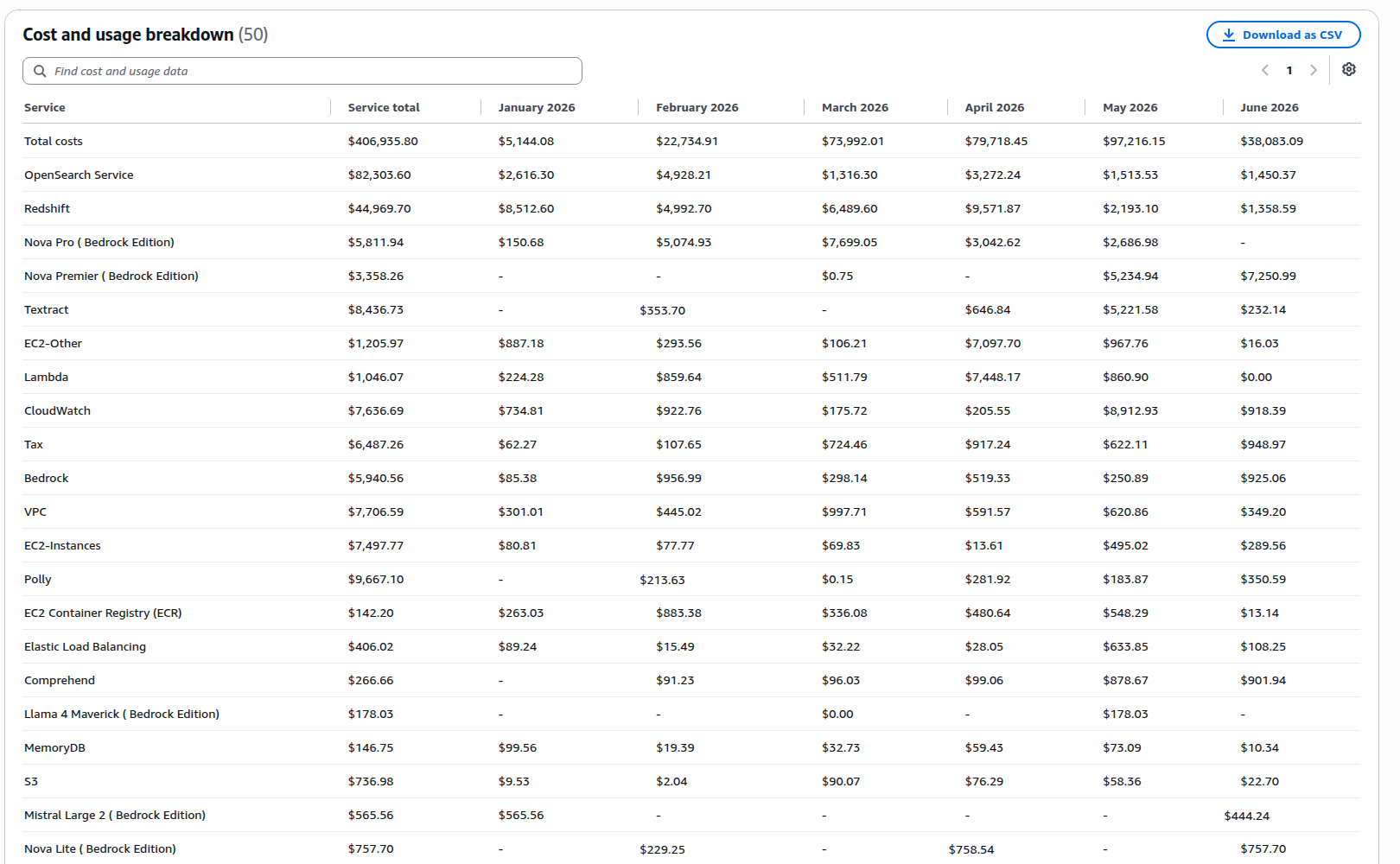
The way it pulls this off is by not trying to bottle the engine at all. It takes the page I was already looking at, the rendered DOM after the app has done its drawing, and serializes that, inlining every image and font and stylesheet into the file along the way. The scripts get dropped. What’s left is the page as it stood at that moment, and anything that can read HTML will still open it in twenty years.
One thing worth knowing before you email one of these to somebody. The rendered page holds more than what’s visible, and my capture had account identifiers and session tokens tucked into it, courtesy of the console. Before you share a capture, grep it, and treat captures of logged-in apps with the same care as the account itself. It’s also why every number in the images here is fabricated.
But mostly I’m just impressed. This is a free, open source extension, largely the work of one developer, Gildas Lormeau, quietly doing the thing browsers themselves gave up on somewhere around 2010. Turns out it just needed someone to care enough to build it properly.